> For the complete documentation index, see [llms.txt](https://docs.acymailing.com/llms.txt). Markdown versions of documentation pages are available by appending `.md` to page URLs; this page is available as [Markdown](https://docs.acymailing.com/external-sending-method/acymailing-sending-service/activating-on-acymailing.md).
# Activating on AcyMailing
This page shows you how to activate and configure our email sending service on AcyMailing.
## Get access to the sending service
To activate our sending method in AcyMailing, you will need to have a valid subscription that grants you sending credits every month. See your options [here](https://www.acymailing.com/pricing/)
Once you have your license, just enter your license key in the AcyMailing configuration and the sending method's options should be accessible.
## Configure the sending method
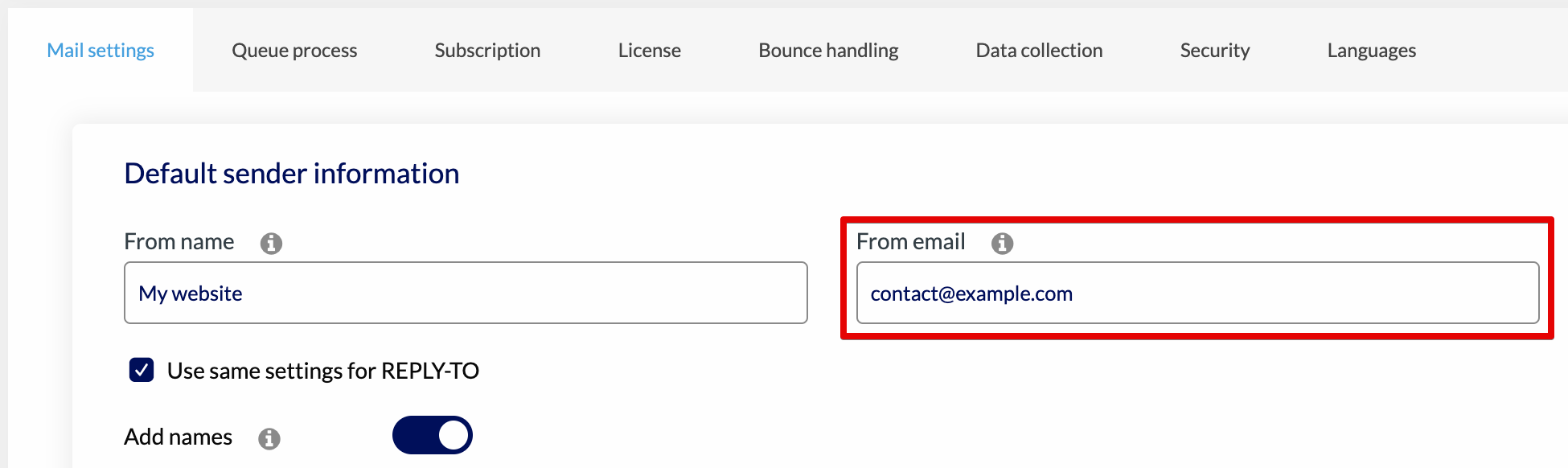
You'll first need to make sure you entered an email address for the "From address" field in the configuration:
Then select the AcyMailing sending service method:
An option will show up letting you validate the domain you use to send emails. For example if you use as *From address*, you will need to validate **example.com**.
{% hint style="warning" %}
Please only add domains you own. Domains like gmail.com or outlook.com aren't yours...
Here are examples of **valid** domains:
* example.com
* example-test.com
* example.co.uk
Here are examples of **not valid** domains:
* example-.com
* [www.example.com](http://www.example.com)
{% endhint %}
Once added, your domain will be added as *pending:*
To validate it, click the blue cogs on the right to show details, you will see a list of CNAME entries that need to be added to the DNS management part of your server:
Add these 3 DNS entries to your server then wait a bit before clicking the "Update domains statuses" button (it may take a few minutes to a few hours for the new DNS entries to be taken into account).
## How to add the DNS entries on my server?
Each server has its own method, but we've found dedicated step by step guides prepared by the biggest hosting providers:
* [GoDaddy](https://www.godaddy.com/help/add-a-cname-record-19236)
* [Amazon Web Services](https://docs.aws.amazon.com/managedservices/latest/ctref/management-directory-dns-add-cname-record.html)
* [Google Cloud Platform](https://cloud.google.com/identity/docs/add-cname)
* [1&1 IONOS](https://www.ionos.ca/help/domains/configuring-cname-records-for-subdomains/configuring-a-cname-record-for-a-subdomain/)
* [HostGator](https://www.hostgator.com/help/article/how-to-change-dns-zones-mx-cname-and-a-records#add-dns)
* [Bluehost](https://www.bluehost.com/hosting/help/cname#create)
* [Hetzner Online](https://docs.hetzner.com/dns-console/dns/manage-records/managing-cname-records)
* [DigitalOcean](https://docs.digitalocean.com/products/networking/dns/how-to/manage-records/)
* [Hostinger](https://support.hostinger.com/en/articles/1583249-how-to-manage-my-dns-records-at-hostinger)
* [Siteground](https://www.siteground.com/kb/manage-dns-records/#How_to_access_your_DNS_zone_editor)
* [OVH](https://docs.ovh.com/ie/en/microsoft-collaborative-solutions/exchange_20132016_how_to_add_a_cname_record/)
* [Cloudflare](https://developers.cloudflare.com/dns/manage-dns-records/how-to/create-dns-records/#create-dns-records)
* [Namecheap](https://www.namecheap.com/support/knowledgebase/article.aspx/9646/2237/how-to-create-a-cname-record-for-your-domain/)
If your hosting provider isn't in this list, the common steps are as follows:
* Log in to your hosting account
* Go to either the DNS entries listing or your website management page
* Click a button to add a DNS entry
* Set the type as CNAME and enter the name/value of the entry
* Save and repeat for the 3 entries
## Troubleshooting
#### Entries still pending after several hours
Make sure that your CNAME is well added to your domain, you can check on this website \
For example you can take the first entries **Name** and search for it, here is an example:\
random-key.\_domainkey.your-domain.com
If your DNS provider doesn't do it automatically you can remove the **your-domain.com** in the Name of the CNAME.\
So instead of adding:
* Name: random-key.\_domainkey.your-domain.com
* Value: random-key.dkim.acymailer.com
You can add it like this:
* Name: random-key.\_domainkey
* Value: random-key.dkim.acymailer.com
If you CNAME is added but the value of it is **random-key.dkim.acymailer.com.your-domain.com** instead of **random-key.dkim.acymailer.com** you can try to add the value with a dot at the end:
* Name: random-key.\_domainkey
* Value: random-key.dkim.acymailer.com.
#### My DMARC is marked as invalid but my SPF and DKIM are correct
It might be a false positive from the spam-test service we're integrated with. You can send a test to a Gmail address, then open it, click the 3 dots at the top-right and choose "<> Show original".
Gmail will tell you if your DMARC is valid:
#### My "MAIL FROM" is not aligned
What it means is that the domain used to collect the bounce messages (when the recipient's adress doesn't exist for example) is different from your sending domain.
If you're using our sending service, you will need to add two DNS entries on your server configuration to align the domains. Contact our support team and tell us which domain should be align so that we can provide you with the correct DNS entries.